RTK Setup
At a glance
RTK corrections come from our Emlid Reach RS3 ground station. Ground robots with an Emlid unit get them over LoRa radio; all other robots get them from the RTKLib caster, never the RS3's embedded caster.
RTK corrections make GPS position centimeter-level accurate, allowing much better precisse handling and repeatability of experiments. We require RTK to guarantee that altitude estimation is accurate enough to prevent collisions with the net. A ground station at a known position sends corrections to the robot, which uses them to remove the GPS error it shares with the ground station.
Ground Station
Our ground station is an Emlid Reach RS3. It is configured from the Emlid Flow mobile app.
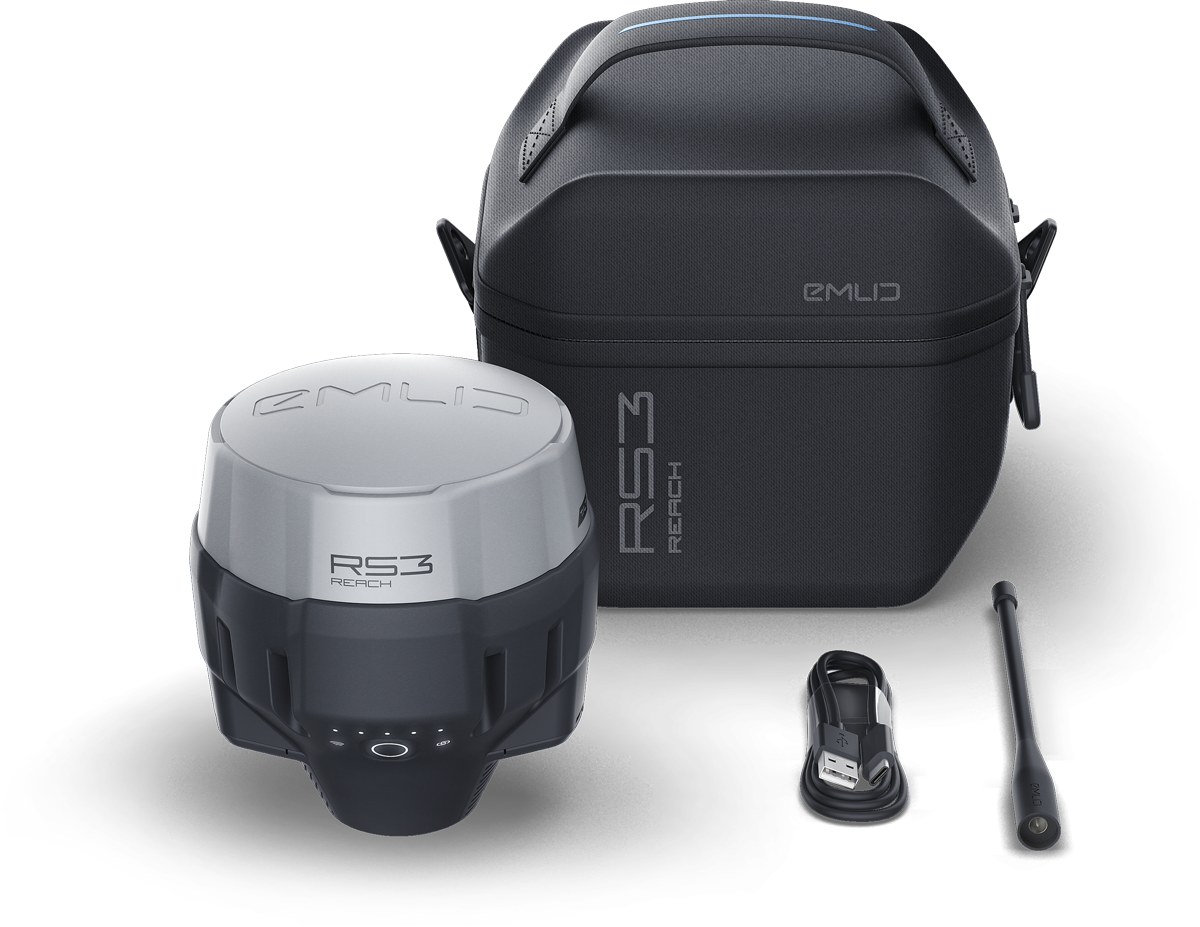
The Emlid Reach RS3 (product image).
The ground station is mounted at the Autonomy Park main shed (not the storage shed), on the mounting tower seen in the video below.
Setting Up
Follow the instructions in the video.
The Emlid is battery powered, and the battery lasts about 24 hours. To charge while using it, plug a USB-C charger into the surge protector in the equipment cabinet next to the mounting tower.
Do Not Break the Equipment Cabinet's Lock
The cabinet requires a key, but the key has been lost. Take the smallest pliers from the toolbox in the main shed and carefully open the cabinet by twisting each of the key slots. Spread the pliers' jaws apart (do not twist the center part).
If you break this piece, all the equipment in the cabinet (for example, the barometer) is no longer weatherproof and will be damaged.
Before You Leave
- Power off the Emlid before unmounting it.
- Unmount it.
- Put it away in the Emlid RS3's case, with the mounting screw and the LoRa antenna. Do not lose either one.
- Close the equipment cabinet.
- Take the Emlid inside the main shed before you leave.
Never take the Emlid off the premises of the Autonomy Park.
Emlid Flow Settings for Ground Station
Get the Emlid Flow app for your phone.
Emlid Flow on the App Store Emlid Flow on Google Play
Single Is Expected for the Ground Station
The fix status in the upper right of the Emlid Flow app shows Single for the ground station. That is expected, because the ground station has no corrections to receive. It is not expected for the rovers: a rover should not stay on Single once it is receiving corrections.
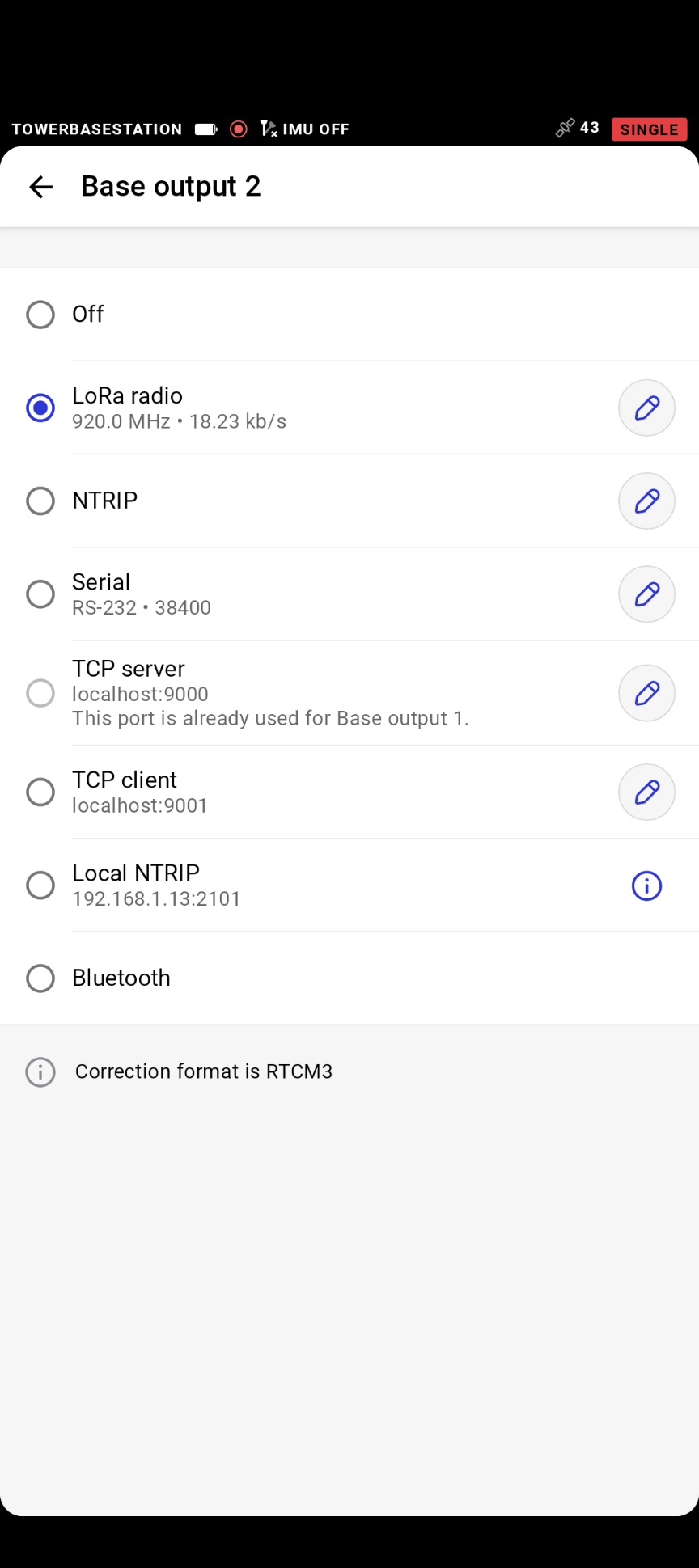
The receiver is named TOWERBASESTATION in the Emlid Flow app, and joins the UFLAutonomyPark Wi-Fi network. You will not be able to 5 GHz network; that's okay. These are its base settings.
| Setting | Value |
|---|---|
| Base output 1 | TCP server, localhost:9000 |
| Base output 2 | LoRa radio, 920.0 MHz, 18.23 kb/s |
| Correction format | RTCM3 |
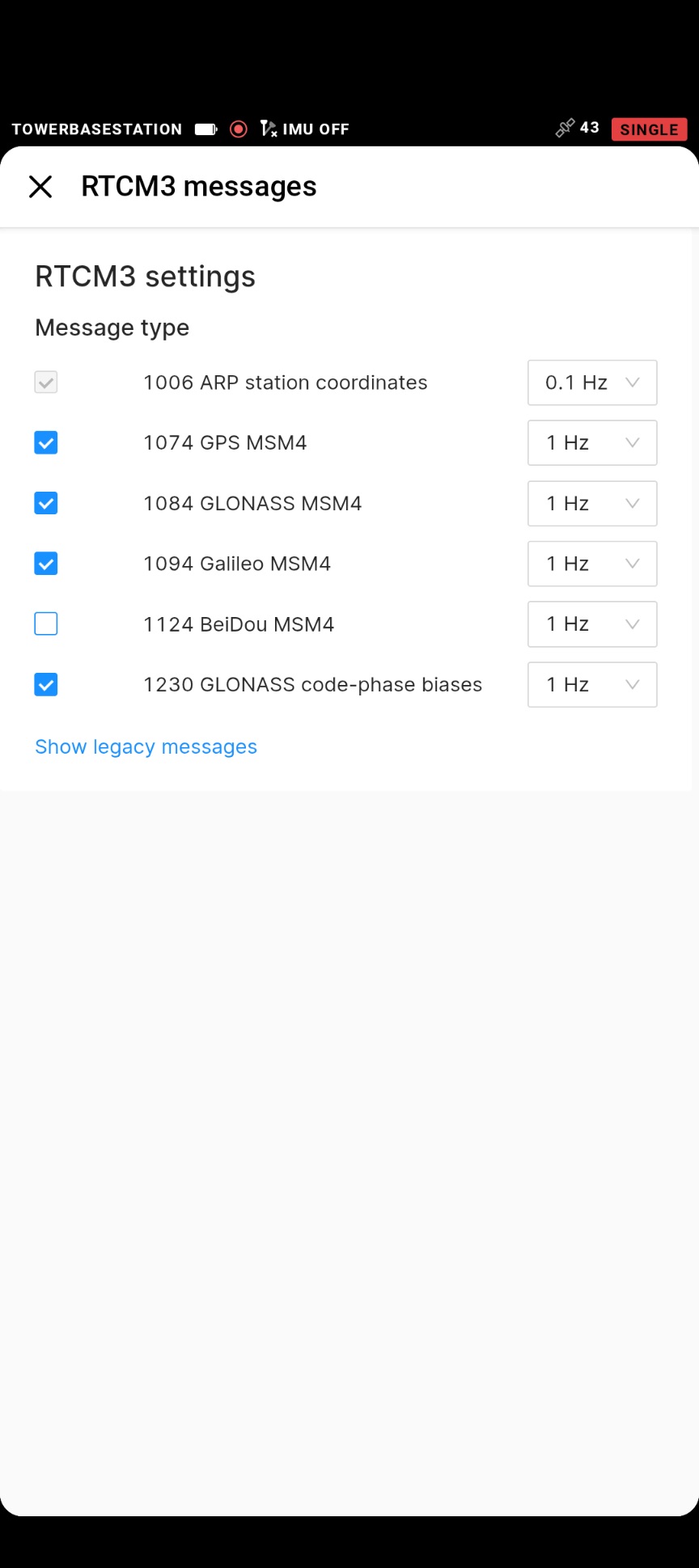
| RTCM3 message 1006 (base position) | 0.1 Hz |
| RTCM3 messages 1074, 1084, 1094, 1230 (GPS, GLONASS, Galileo, GLONASS biases) | 1 Hz |
| RTCM3 message 1124 (BeiDou) | Off |
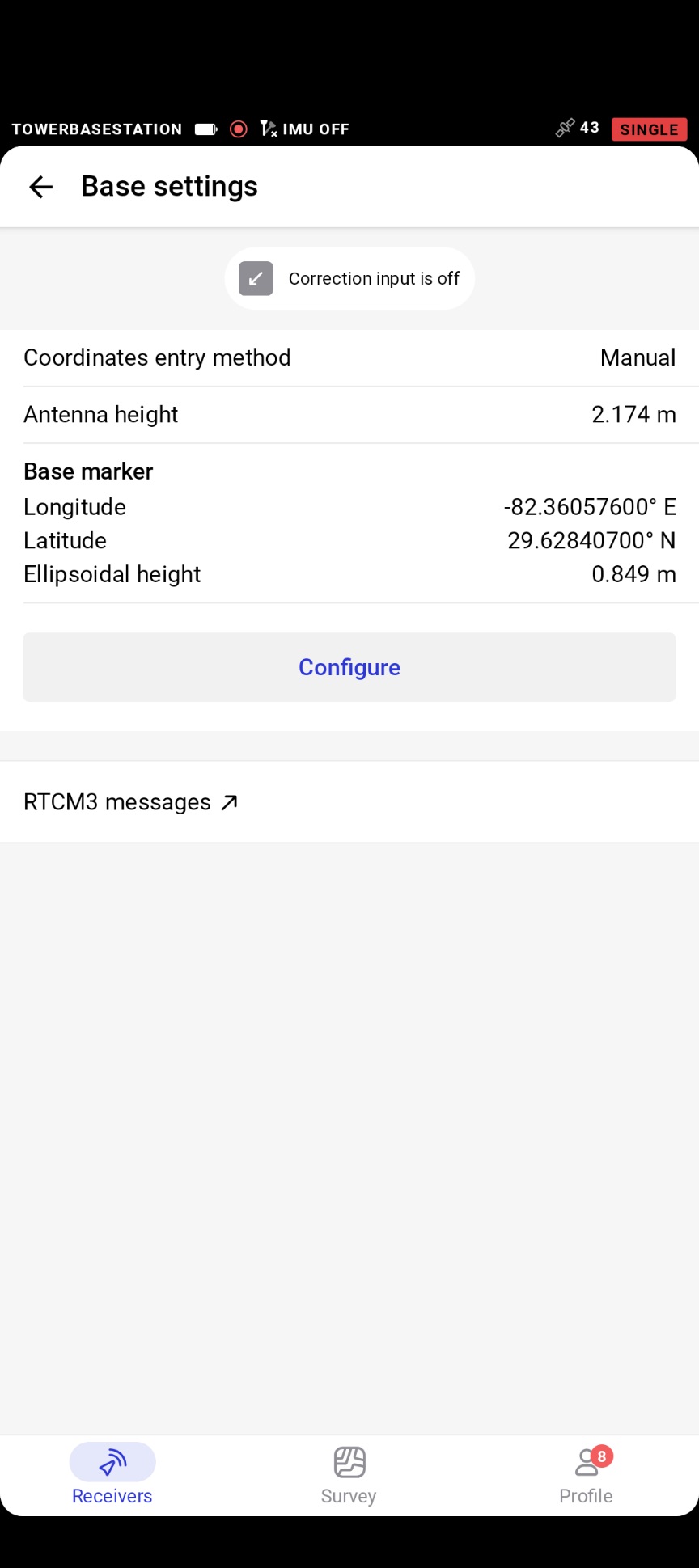
| Coordinates entry method | Manual |
| Base marker | 29.62840700° N, -82.36057600° E, ellipsoidal height 0.849 m |
| Antenna height | 2.174 m |
The screenshots below are the same settings in the app.
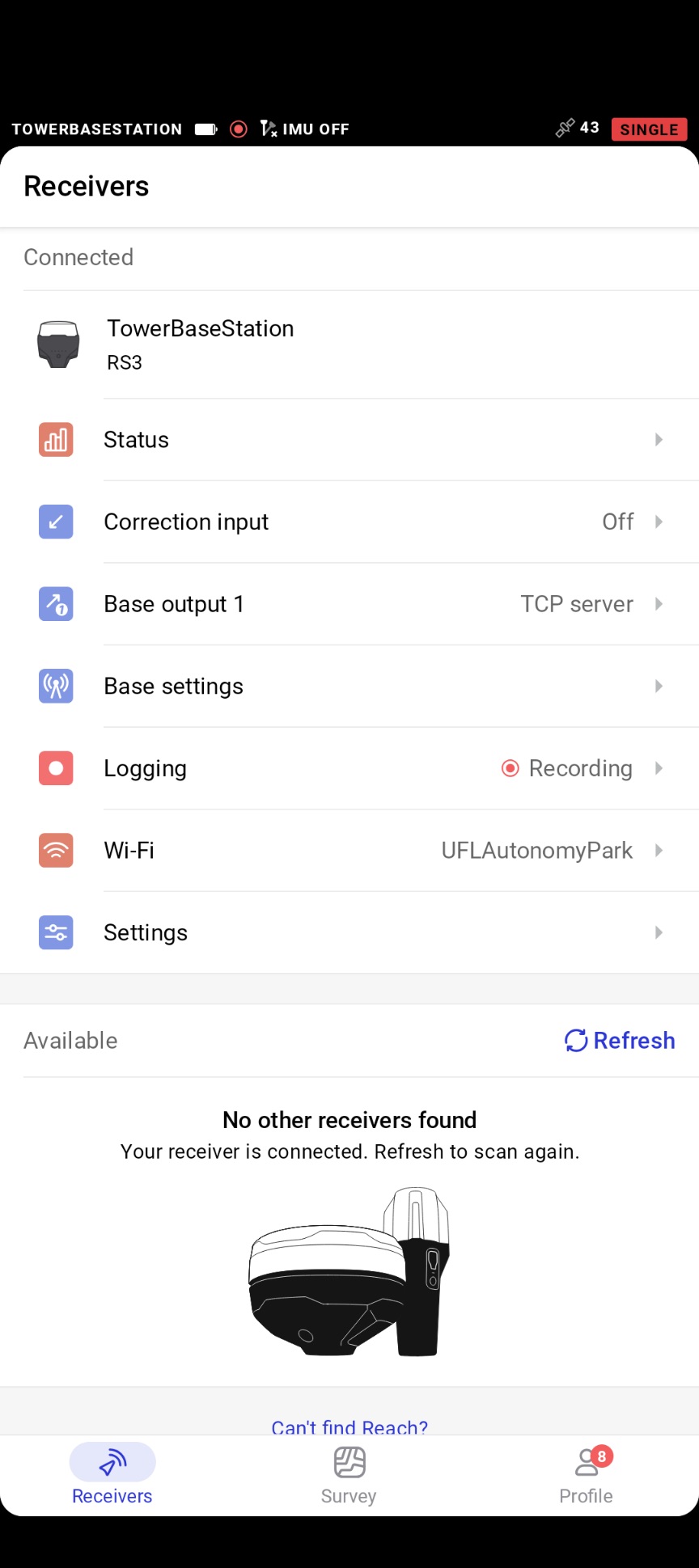
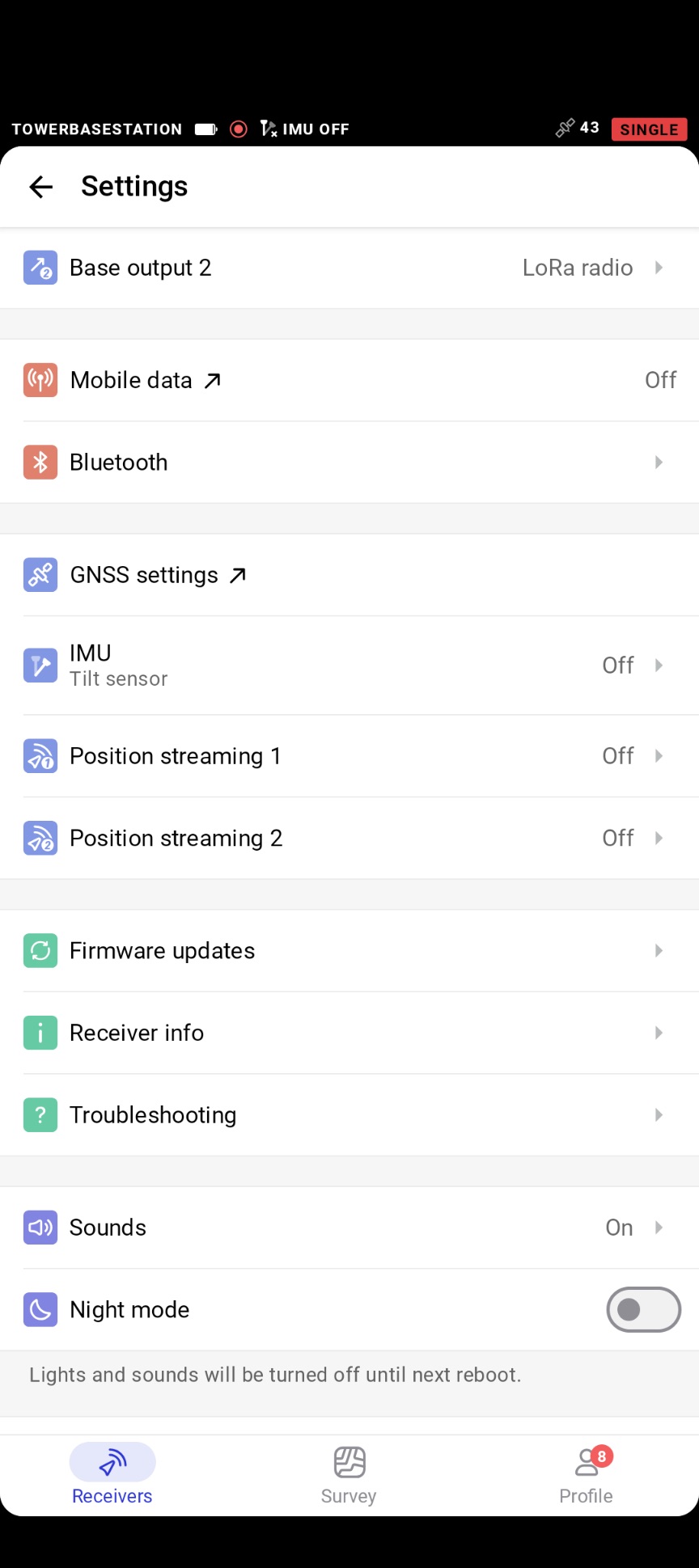
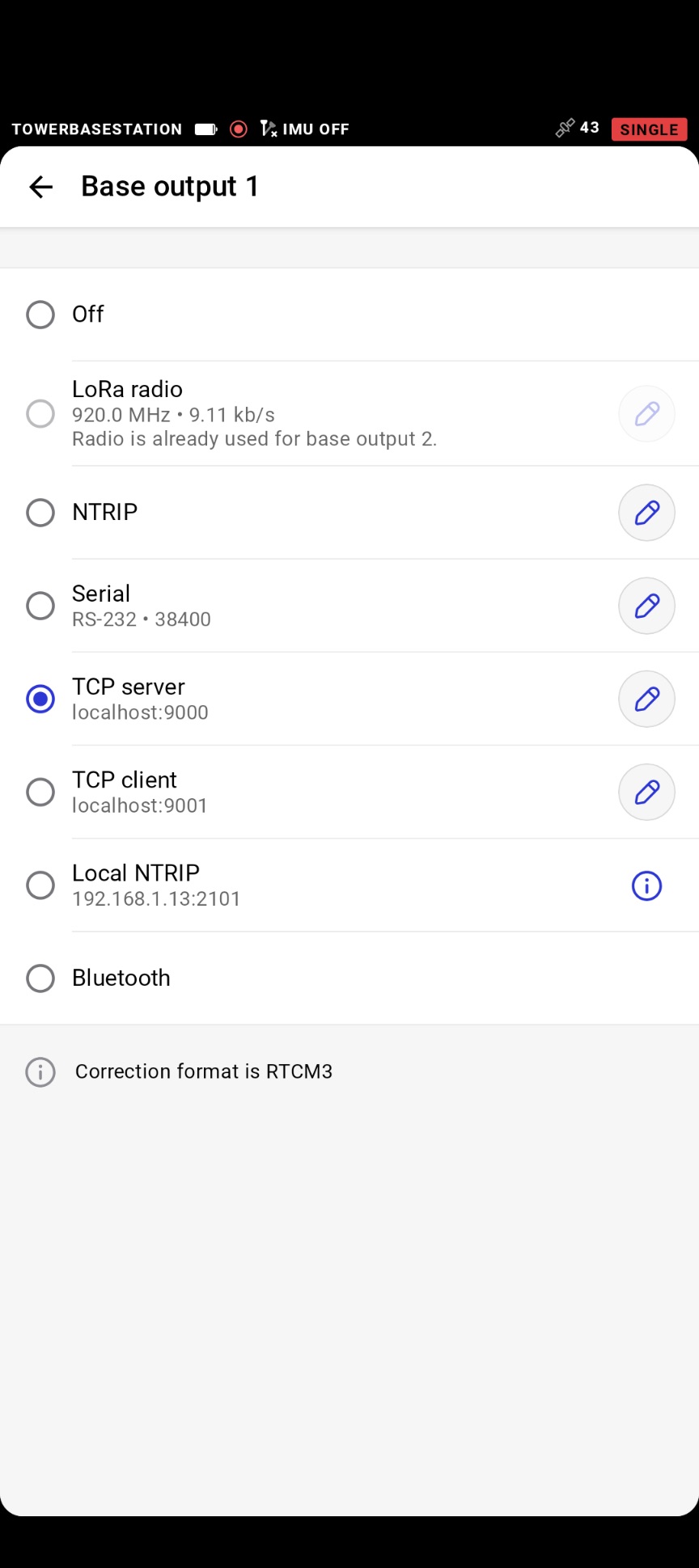
- Our Emlid units: four rover units labelled Emlid RS 001 to 004, and one RS3, which is the ground station. All four rovers are RS+ units, and they are configured identically.
Emlid Flow Settings for Rovers/Clients
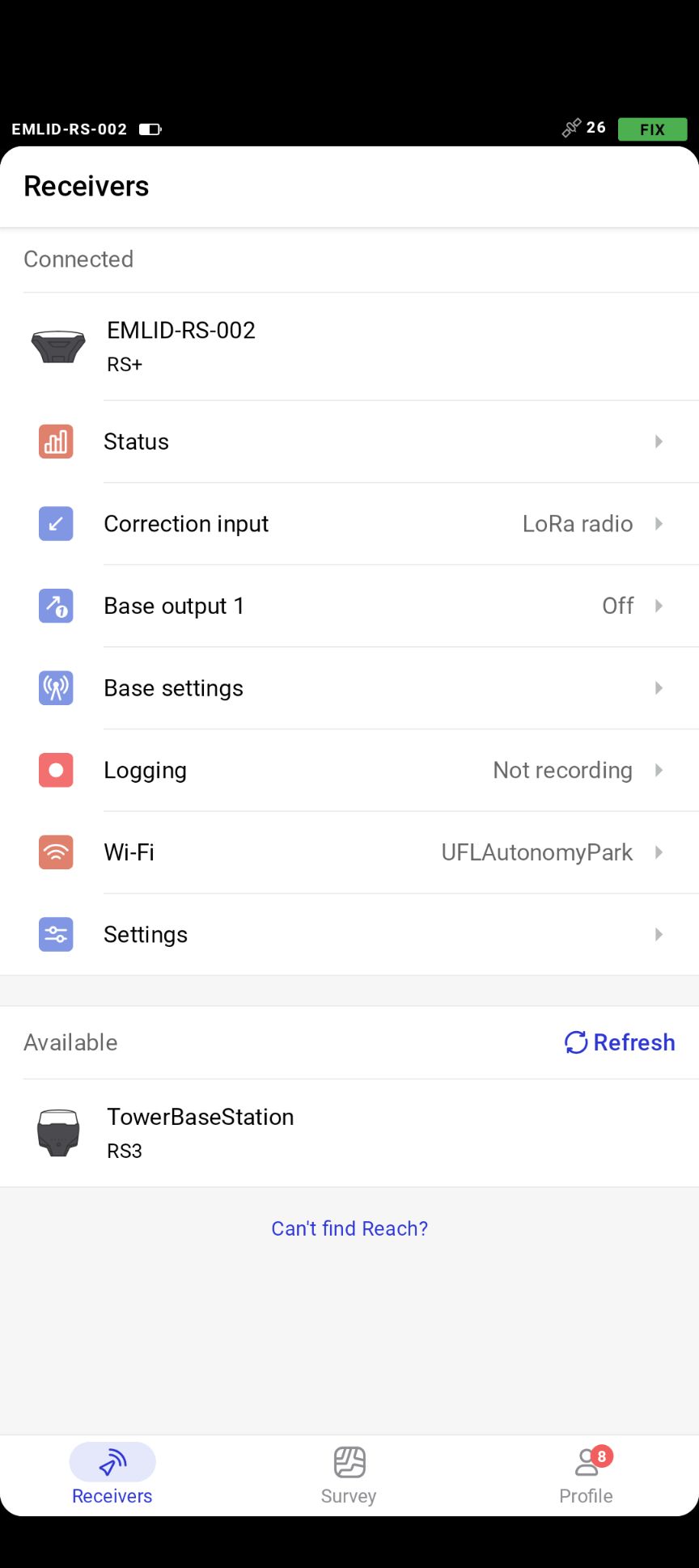
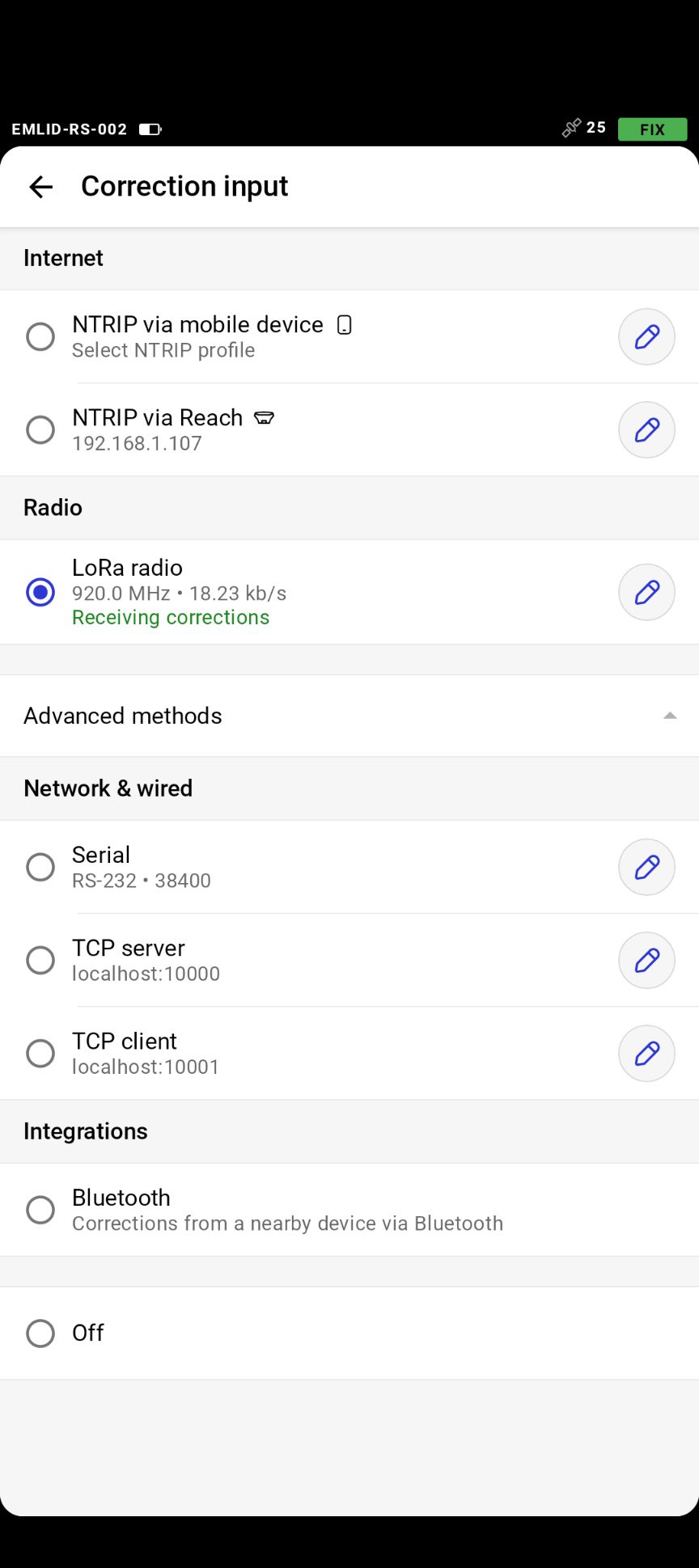
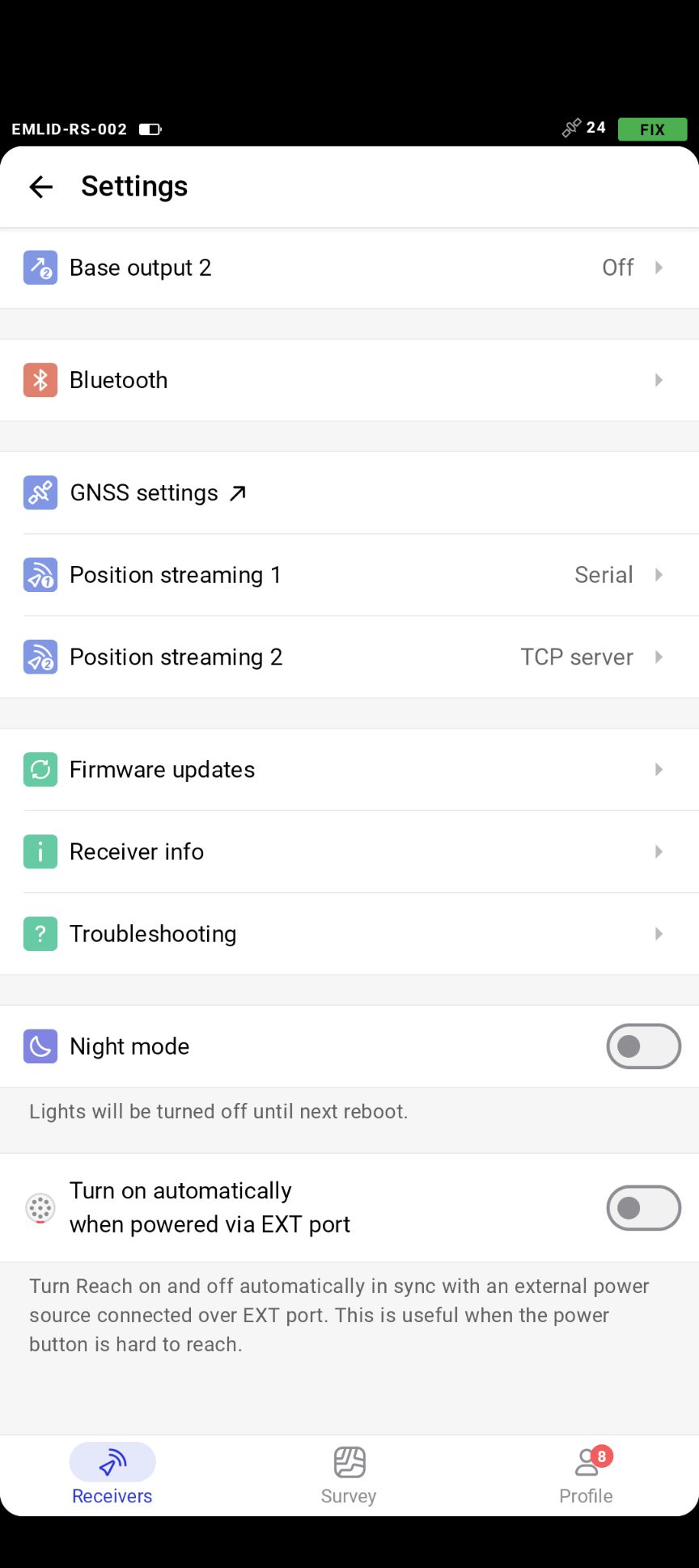
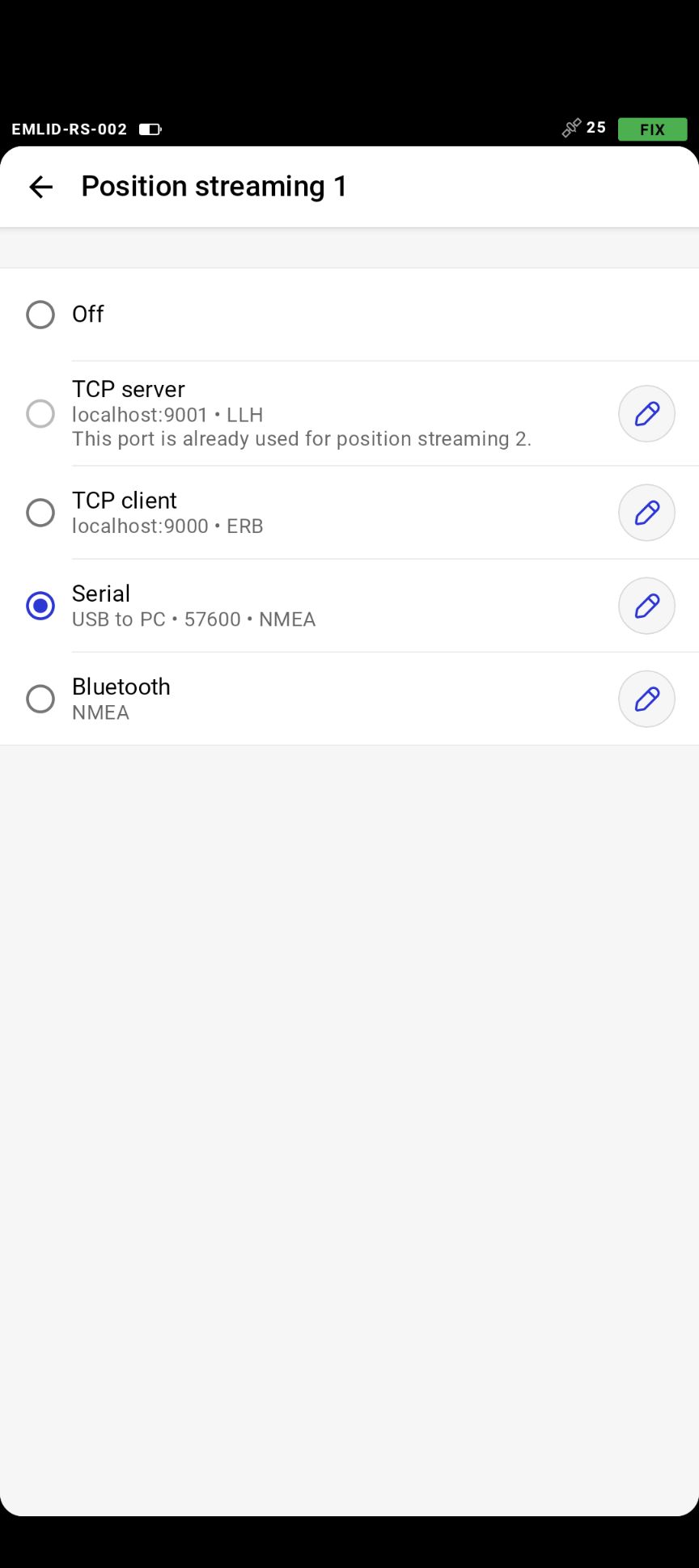
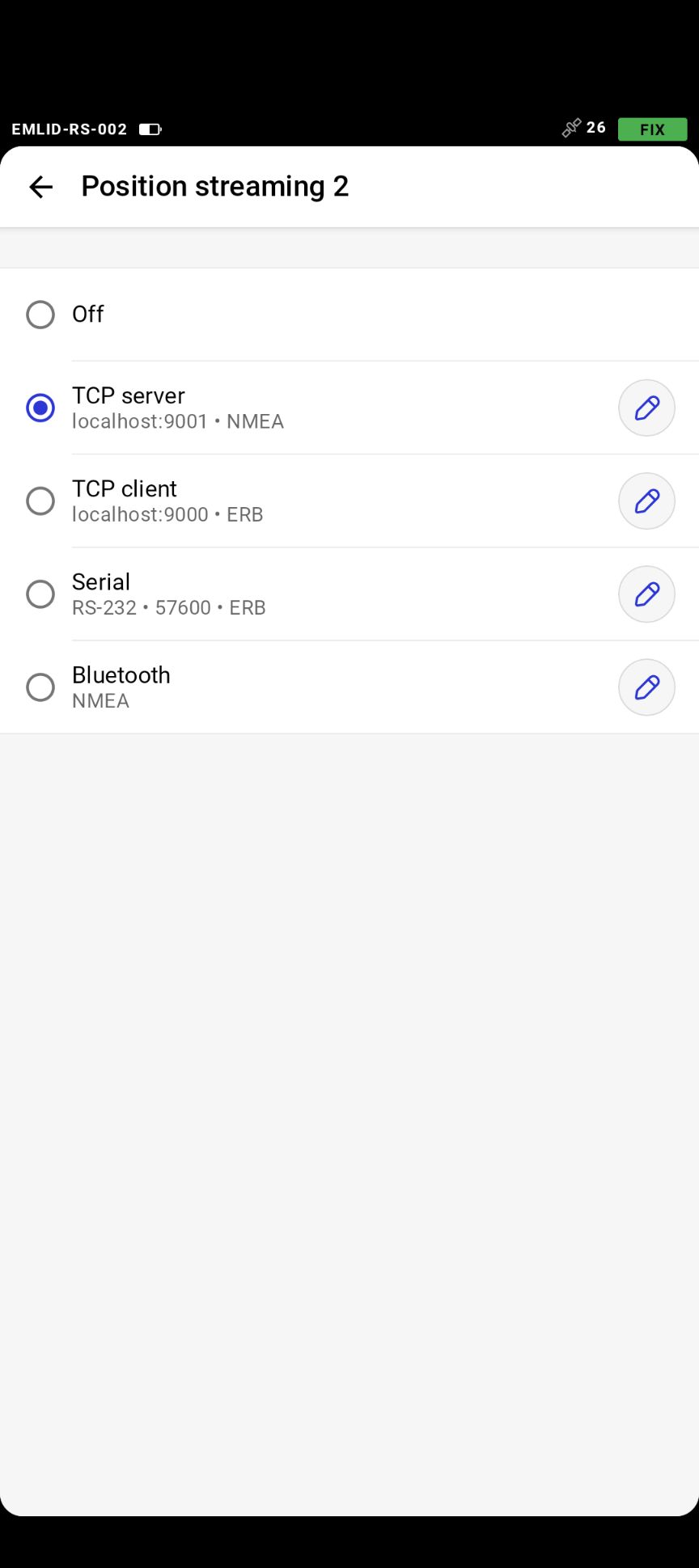
These are the settings of one of the rover Emlid RS+ units in the Emlid Flow app. All four (RS+) are configured identically. While any could be used as a base station, we use them on robots as recipients of RTK corrections ("rovers").
| Setting | Value |
|---|---|
| Correction input | LoRa radio, 920.0 MHz, 18.23 kb/s (shows "Receiving corrections") |
| Wi-Fi | UFLAutonomyPark |
| Base output 1 and 2 | Off |
| Position streaming 1 | Serial, USB to PC, 57600, NMEA |
| Position streaming 2 | TCP server, localhost:9001, NMEA |
How Corrections Reach the Robots
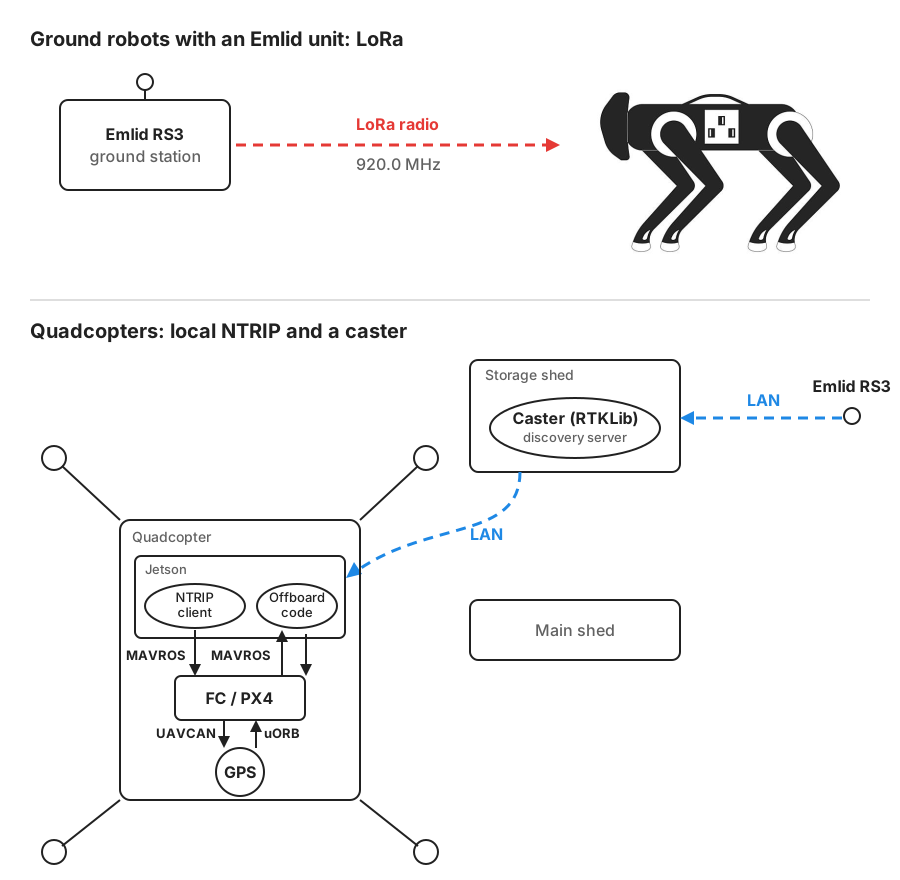
How RTK corrections reach ground robots (LoRa) and quadcopters (local NTRIP and a caster).
There are two ways, depending on the robot:
- Ground robots with an Emlid unit (for example, an RS) use LoRa radio.
- All other robots use the RTKLib caster. This includes the quadcopters.
This dual system was not chosen because Wi-Fi or the caster would get saturated with many agents (that is not known). It was chosen to minimize changes to existing configurations.
The RTKLib Caster
Corrections are served by RTKLib running on the discovery server computer. An NTRIP client on each quadcopter's companion computer publishes them to <mavros_namespace>/mavros/gps_rtk/send_rtcm. Serving RTK through QGC does not work: see PX4 Configuration.
Use the RTKLib caster, never the RS3's embedded caster.
The caster is already running. For how it was built, see NTRIP Caster for RTK on Quadcopters (reference only).
- RTKLib version: 2.4.3. It is very stable and has not needed an update since 2020.
- RTKLib configuration: the access details for getting corrections from the RTKLib caster are in the
homebrew_dockerrepository. They are not published on the wiki. See GitHub Access. - Indoor Lab: the Indoor Lab has no RTKLib caster. Nothing indoors needs RTK: the Bebops are the only indoor quadcopters.
Knowing the Fix Is Good
What a Good Fix Is for a Quadcopter
A good fix is fix_type 6, always. Read the fix_type entry of <namespace>/mavros/gpsstatus/gps1/raw. When everything works, every single message coming out of MAVROS shows 6 (RTK fixed) while flying around, never less.
This reliability is only tested up to three quadcopters under the current setup: RTKLib on the discovery server computer. Three agents have also been tested with the Emlid RS3's embedded caster, which sends corrections over an individual link to every quadcopter (every local NTRIP client). That is not reliable at all: the fix drops out randomly and intermittently. Even with one agent, flying can reduce the fix to 5 from what it was on the ground, with no recovery and no explanation. Use the RTKLib caster, never the embedded caster.
Wait for the Fix to Reach 6
Getting a fix takes 5 to 15 minutes. Until fix_type reaches 6, expect lots of "Global position estimate invalid" errors. A fix of 5 (RTK float) can make flights unstable, so it is very important to wait for 6 (fixed) before you fly.
The fix should drop to 5 or lower, even for a single frame, only if you hit the ground hard, crash, or the satellites cut out. (The satellites cut out once in 100 flight hours.) Moving fast or changing altitude should never demote the fix.
Multi-agent testing has not been done, so it is unknown whether network traffic, or changing access points, affects the fix.
An Easier Way to Check the Fix
Click the GPS icon in the Fly tab of AMC (Astros) or QGC (Homebrews) to check the RTK fix.