Case Study: Lidar and CAN Sensor Burnout
At a glance
Lidars wired any way except the included connector on I2C 2 slowly burn out other sensors on the CAN bus, and a lidar that is already failing can damage the next drone it is plugged into. This is how the problem was found.
Never Power On a Wrongly Wired Lidar
Never power on a lidar that is wired with the custom connector instead of the cable included in the box. Doing so slowly burns out the lidar over time.
Lidars 02, 03, and 04 are likely burned out. They no longer have their original cables, so they cannot be tested. Whether the original cables can be soldered back without further intermittent issues is unknown. We recommend never plugging them in again.
The Symptom
During bench tests on 2026-05-01 on Homebrew 08, the lidar reading (helps with height estimation) flickered rapidly between a sensible value and 0 on MAVLink Inspector (a page on QGC). The lidar was plugged into the flight controller (FC) via the CAN Extender using a custom-soldered connector. Whenever the battery was disconnected (thus power was given by USB only), flickering stopped. Readings reacted normally to changes in distance to ground.
Upgrading software and different drones with the same parameters exhibited the same behavior.
The two photos below show the same area of a Homebrew. The circled parts are the lidar wiring.
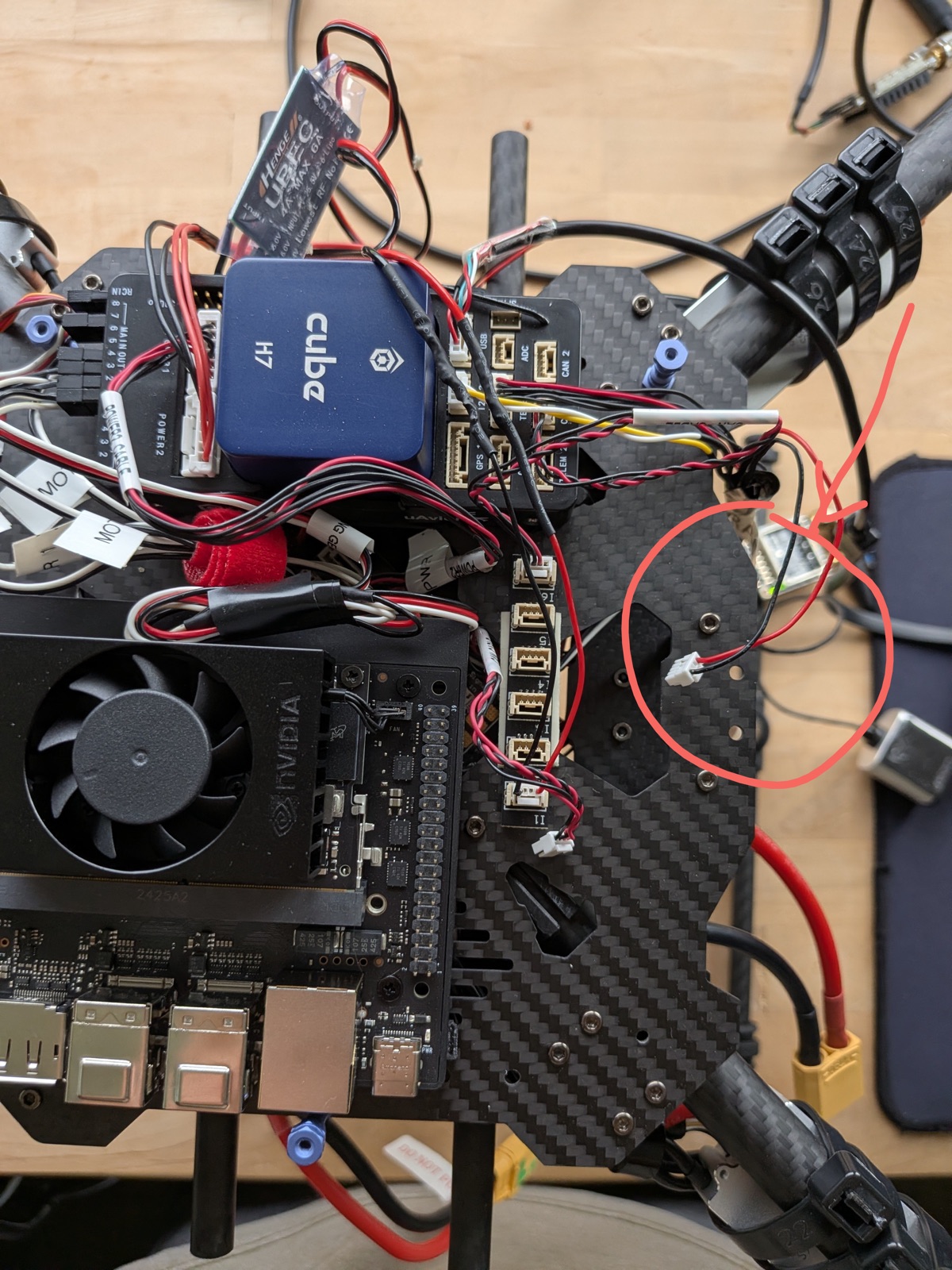
Incorrect: the lidar is wired with a custom-soldered connector. Never power it on.
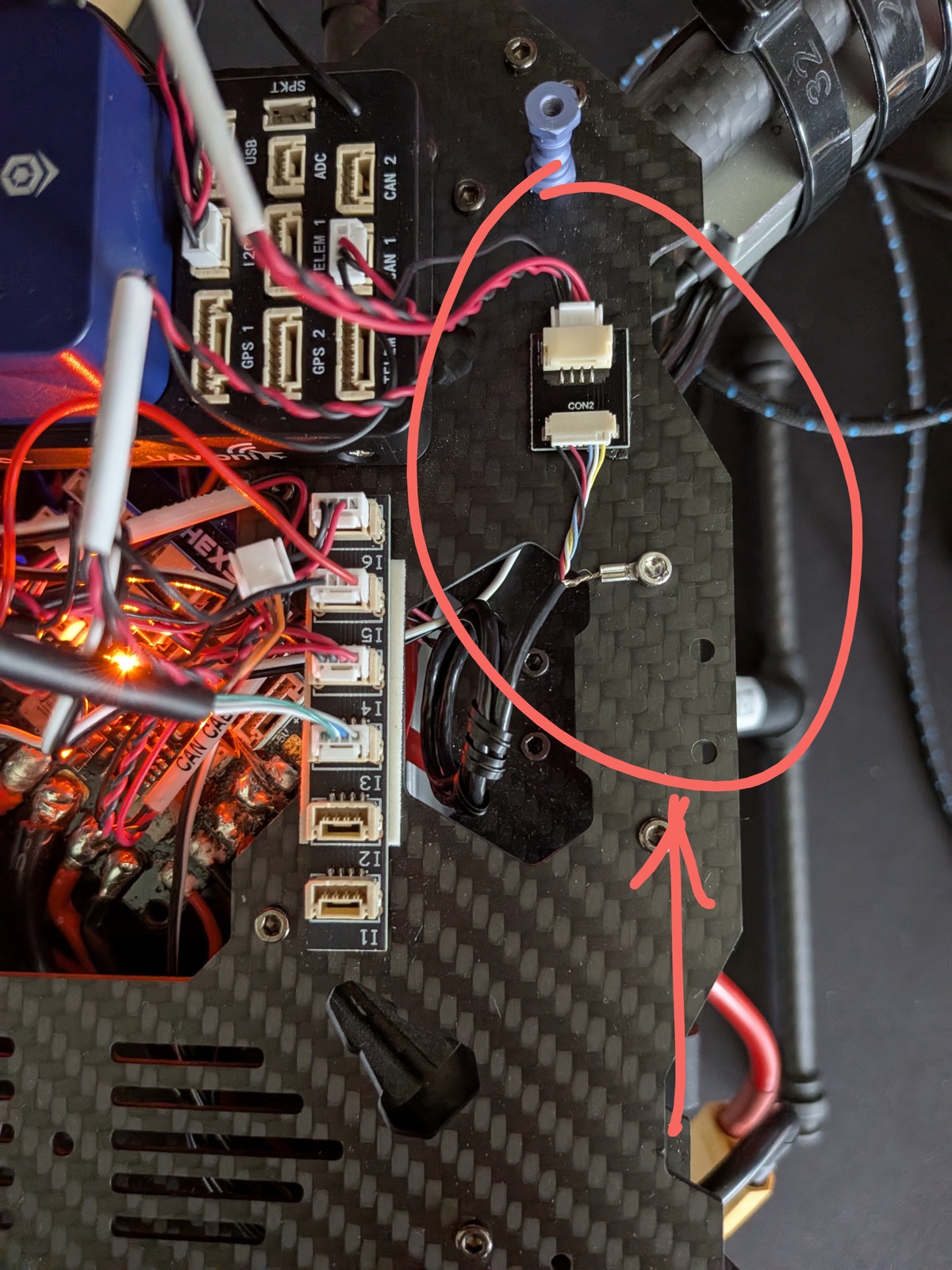
Correct: the lidar's included cable on its adapter board.
The Homebrew 05 Crash
On 2026-01-31, Homebrew 05 crashed during a manual flight in Position Mode. It drifted massively without any command and moved in a random "toilet bowling" pattern. This was all later traced to the custom connector on the lidar, used instead of the included one.
What Was Found Later
- The flicker happens because two distance sensors are on the same CAN bus. The optical flow sensor has a distance sensor too. When the battery was connected, optical flow could then publish over the CAN, which clashed with the readers of the lidar due to the lidar's incorrect wiring.
- The optical flow sensor and the distance sensor are very close to each other on the drone, making it difficult to test which sensor PX4 was using. PX4 auto-selects a new distance sensor if data is stale or invalid for more than 1.0 second.
- Cutting and re-terminating the lidar cable (as half the Homebrews have!), or otherwise using anything but the included lidar connector, slowly burns out the lidar and other CAN sensors over time like the optical flow sensor.
- The fix is to connect the lidar with its included cable and using I2C 2, not the CAN extender.
According to the PX4 logs, the lidar and optical flow on Homebrew 03 failed before its crash on 2026-10-09. As of its successful offboard flight on 2026-10-07, both sensors were working. While investigating, a lidar from a bad setup was found to damage other quadcopters whose lidar was failing or had already failed when it was connected to them. Whether the damaged sensors are recoverable is unknown and has not been investigated. The lidar units cost $400 apiece, so this is a good long-term task. However, since Max got RTK working on the Homebrews, optical flow and lidar are actually unnecessary and actually (very) slightly make PX4's setpoint tracking and ability to hold in Position Mode slightly worse!
What to Do
- Use I2C 2 and the lidar's included cable. Do not cut the cable.
- Do not move a lidar from a drone with bad wiring to another drone. It can burn out other sensors on the CAN like the optical flow sensor.
- The status of whether each Homebrew's lidar is wired correctly or not is given in Known Issues.