Overview
At a glance
Quick facts about the Homebrew: physical measurements, manuals, and video guides. Look here when you need a number or a manual.
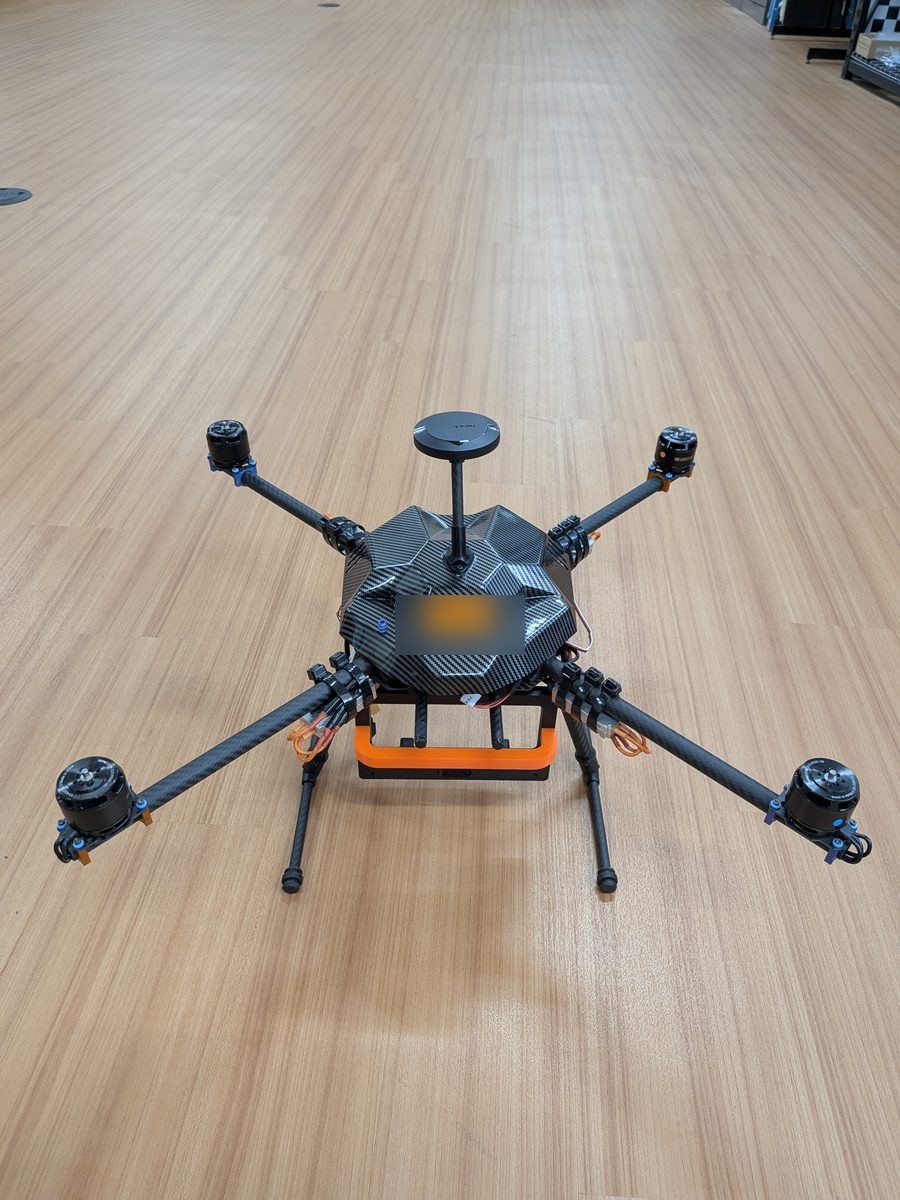
A Homebrew.
Set Up the RTK Ground Station First
This robot uses RTK corrections from the ground station. Before you do anything else, set up the RTK ground station.
Wait for a Full RTK Fix Before You Fly
Wait until the RTK fix is full (fix_type 6, RTK fixed), not 5 (RTK float), before you fly. Getting a fix takes 5 to 15 minutes.
Never Fly in Acro Mode
Acro Mode must never be attempted, under any circumstances.
Flying in Stabilized Mode requires expertise. Novice pilots must not attempt it.
Position Mode is already quite fast. Be very careful and move the sticks very slowly.
Keep the Optical Flow and Lidar Clear
Make sure no cables are in the way of the optical flow sensor or the lidar. Make sure the lidar's position does not obscure the optical flow sensor: they are close to each other.
Always Watch the Battery
The pilot must always watch the battery while flying. Conservative failsafes stop you from flying on a low battery, but they do not replace watching it.
Leaving a drone plugged in for a long time (for example 3 hours) does not prevent the battery from draining slowly. You can easily draw a LiPo below its safe limit of 3.0 V per cell. This permanently damages the battery, and PX4 gives no warning at all.
Never Power On a Wrongly Wired Lidar
Never power on a lidar that is wired with the custom connector instead of the cable included in the box. Doing so slowly burns out the lidar over time.
Lidars 02, 03, and 04 are likely burned out. They no longer have their original cables, so they cannot be tested. Whether the original cables can be soldered back without further intermittent issues is unknown. We recommend never plugging them in again.
Attaching a Payload
Disable EKF2_OF_CTRL and EKF2_RNG_CTRL if you attach a payload. Move slowly. Do not attach more than 1 kg: this is the tested safe limit.
For controls experiments, consider also disabling MPC_USE_HTE and manually tuning MPC_THR_HOVER (not to exceed 0.7). See Parameters.
Pages
| Page | What it covers |
|---|---|
| Known Issues | Read before you fly: problems, and the status of each Homebrew |
| Batteries | The 6S LiPo packs and how to track their age |
| RTK Setup | How a Homebrew gets RTK corrections |
| PX4 Configuration | The steps to configure a Homebrew and calibrate it on its own |
| Parameters | Every PX4 parameter the Homebrew template sets, and why |
| Calibration and Per-Drone Parameters | The parameters that are unique to each Homebrew and never copied |
| Microhard Radios | The planned data link for multi-agent flights |
| Flying Manually | Flying a Homebrew by hand: pre-flight, takeoff, landing |
| Autonomy | A Docker container that runs MAVROS and the ZED ROS 2 wrapper |
| Build | How the Homebrews were built (kept as reference) |
| Maintain | Repair, PX4 firmware upgrades, building PX4, and Here4 firmware |
| Case Studies | What went wrong, and what we learned |
| Jetsons | Using and flashing the Jetsons (in Hardware) |
| Radio and RC Setup Guide | The legacy FrSky radio setup (in Hardware) |
Setup Video
A video on setting up the Jetson, what to look for, and a general orientation to the RC and QGroundControl radio setups:
Note
It is okay to cut the case to make room for cables.