Overview
At a glance
The Freefly Astro: our three Astros, their software versions, and where to find every Astro page.
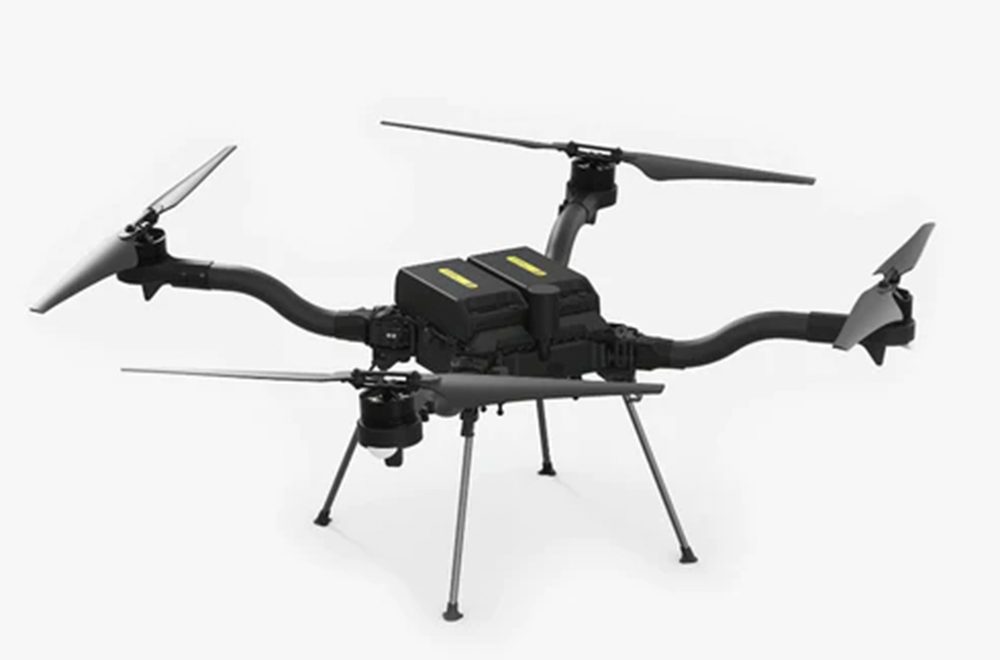
The Freefly Astro (Freefly product image).
Set Up the RTK Ground Station First
This robot uses RTK corrections from the ground station. Before you do anything else, set up the RTK ground station.
RTK Ground Station Astro RTK Setup
Wait for a Full RTK Fix Before You Fly
Wait until the RTK fix is full (fix_type 6, RTK fixed), not 5 (RTK float), before you fly. Getting a fix takes 5 to 15 minutes.
Fleet and Software Versions
We have three Astros. Freefly versions the software as one bundle that contains AuterionOS, the apps, and APX4. This table is as of 2026-10-21.
| Astro | Ready to Fly | Software version | PX4 base | Issues | Last Updated |
|---|---|---|---|---|---|
| astro1 | Yes | 2.3.7 | 1.15 | No issues | 2026-11-10 |
| astro2 | No: it flies, but its remote has range issues | 2.3.7 | 1.15 | Remote range issues: see the AMC table below | 2026-11-10 |
| astro3 | No: in storage | Unknown | Unknown | Unknown | 2026-11-10 |
Auterion Mission Control (AMC) is the ground control software the Astros use. It runs on their remotes (Herelink GCS that are "legacy" according to Freefly), which run Android.
| Astro | AMC version | Issues | Last Updated |
|---|---|---|---|
| astro1 | 1.34.21 | No issues | 2026-11-06 |
| astro2 | N/A | The remote has a weak connection unless it is very close; this began with a software update, and Max is working on a fix. Needs Freefly's help. I accidentally installed a newer version via adb and this caused issues (poor radio connection, newer versions of the app don't function, some PX4 parameters have new maximum values like BAT_EMERGEN_THR). Waiting on Freefly support. |
2026-11-10 |
| astro3 | Unknown | Unknown | 2026-11-06 |
Bench Work: Plug in Only One Battery
Normally no battery may be connected to a drone with its propellers on. The propellers on the Astros are hard to remove, so it is safe to work on the bench with an Astro only if one battery is plugged in. With two batteries the Astro can arm. Do not plug in the second battery unless the Astro is inside the net and ready to fly.
Astro Pages
| Page | What it covers |
|---|---|
| Known Issues | Read before you fly an Astro |
| RTK Setup | RTK setup on the Astros |
| USB-C Port | Where the port is and how to reach it |
| Parameters | Settings to check before every flight |
| Dashboard | The settings panel each Astro serves |
| Flying Manually | Flying an Astro with its remote |
| Autonomy | Offboard control, SSH and its limits |
| Batteries | Which batteries the Astros use |
To update the Freefly software itself, see the Freefly docs.