B1
At a glance
Start up the Unitree B1, the larger of our two robot dogs: connect to its Jetson and run the ROS 2 startup. Includes the manual.
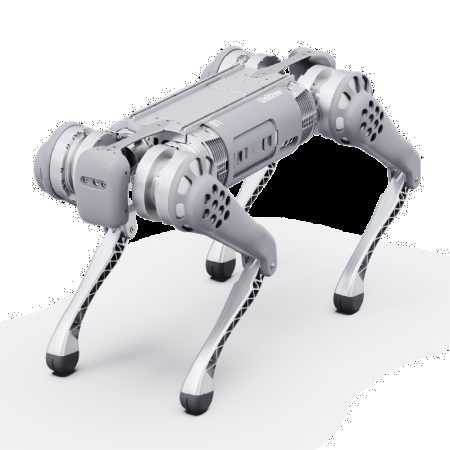
The B1, the larger of the two Unitree robots (Unitree product image).
We have one B1. It is in the storage shed at the Autonomy Park.
Brandon, This Page Needs Your Help
Brandon Fallin, please review this page and fill in anything missing.
Ground Robots Need the New ground_docker
Ground robots are set up with ground_docker. Dog 166 (if it exists) is set up perfectly and is the template for the other robots. All the others need to be set up with the new ground_docker.
Set Up the RTK Ground Station First
This robot uses RTK corrections from the ground station. Before you do anything else, set up the RTK ground station.
The B1 is the larger of our two sizes of robot dog.
Dog Startup Instructions
The commands run on your Linux computer, and then on the dog's Jetson.
-
SSH into the dog's Jetson from your computer. The username and IP address are labeled on the side of the dog. Enter the password when asked.
ssh <username>@<dog-ip-address> -
Run
screen, so that the terminal is not killed if you disconnect. Press the space bar a few times until the text goes away.screen -
On the dog's Jetson, start the Docker container.
./openDockerDogsHumble.sh -
In the container, go to the
localFilesfolder and run the ROS 2 startup script.cd /home ./runUnitreeMinimalStartup.sh
When you are finished, press Ctrl+C to kill ROS. Then leave the container, kill the screen session with Ctrl+A then K, and confirm with Y. Then leave the SSH session.
exit