RTK Setup
At a glance
How to point an Astro at our RTK corrections. The Astros use their NTRIP client app with the RTKLib caster.
RTK corrections make GPS position centimeter-level accurate, allowing much better precisse handling and repeatability of experiments. We require RTK to guarantee that altitude estimation is accurate enough to prevent collisions with the net. A ground station at a known position sends corrections to the robot, which uses them to remove the GPS error it shares with the ground station.
Which Astros Are Set Up
| Astro | Works with the Emlid RS3 base station |
|---|---|
| astro1 | Yes, configured; works immediately |
| astro2 | Yes, configured; works immediately |
| astro3 | Not set up |
No License Is Needed
A license is not required to use third-party RTK corrections, such as the ones from our Emlid RS3 ground station. The Auterion RTK license is only for Auterion's own corrections.
Before this, read RTK Setup: the ground station must be on.
The NTRIP Client App
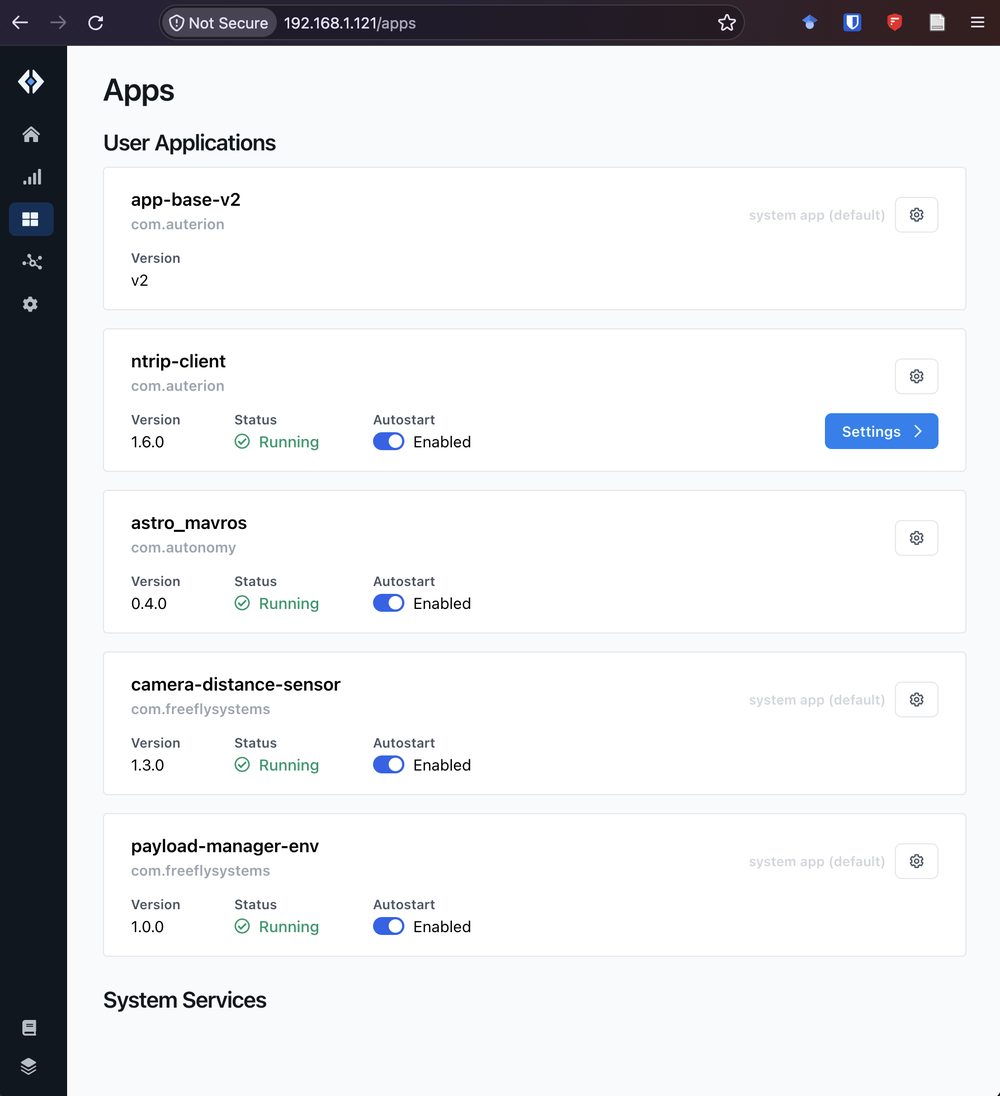
Each Astro runs an ntrip-client app. Open the Astro's dashboard in a browser (see Astro Overview), go to Apps, and click Settings on ntrip-client.
Settings
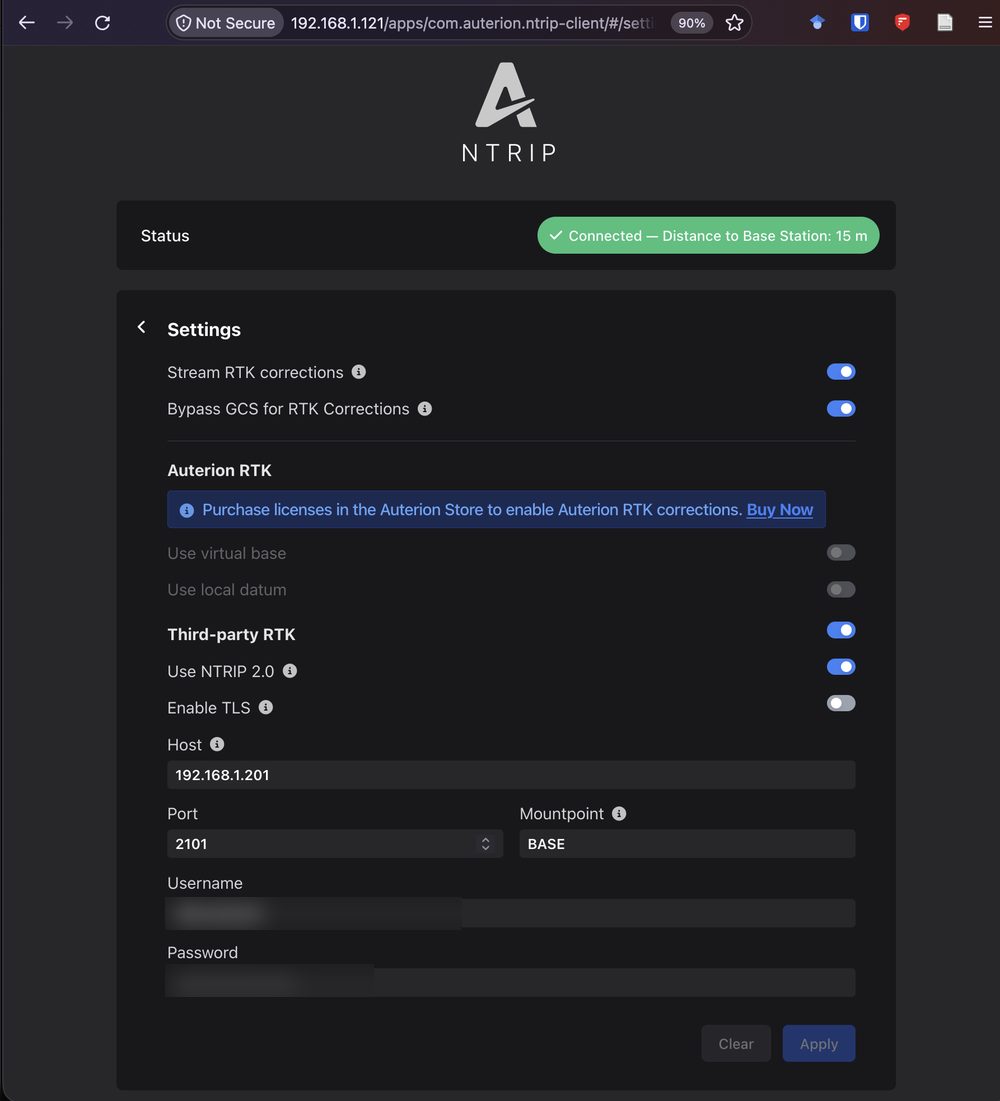
| Setting | Value |
|---|---|
| Stream RTK corrections | On |
| Bypass GCS for RTK Corrections | On |
| Third-party RTK | On |
| Use NTRIP 2.0 | On |
| Enable TLS | Off |
| Host | The discovery server |
| Port | 2101 |
| Mountpoint | BASE |
| Username and password | In .env.example of homebrew_docker |
The username and password are not sensitive. They are in the .env.example file of homebrew_docker.
Checking That It Works
An easier way: click the GPS icon in the Fly tab of AMC to check the RTK fix.
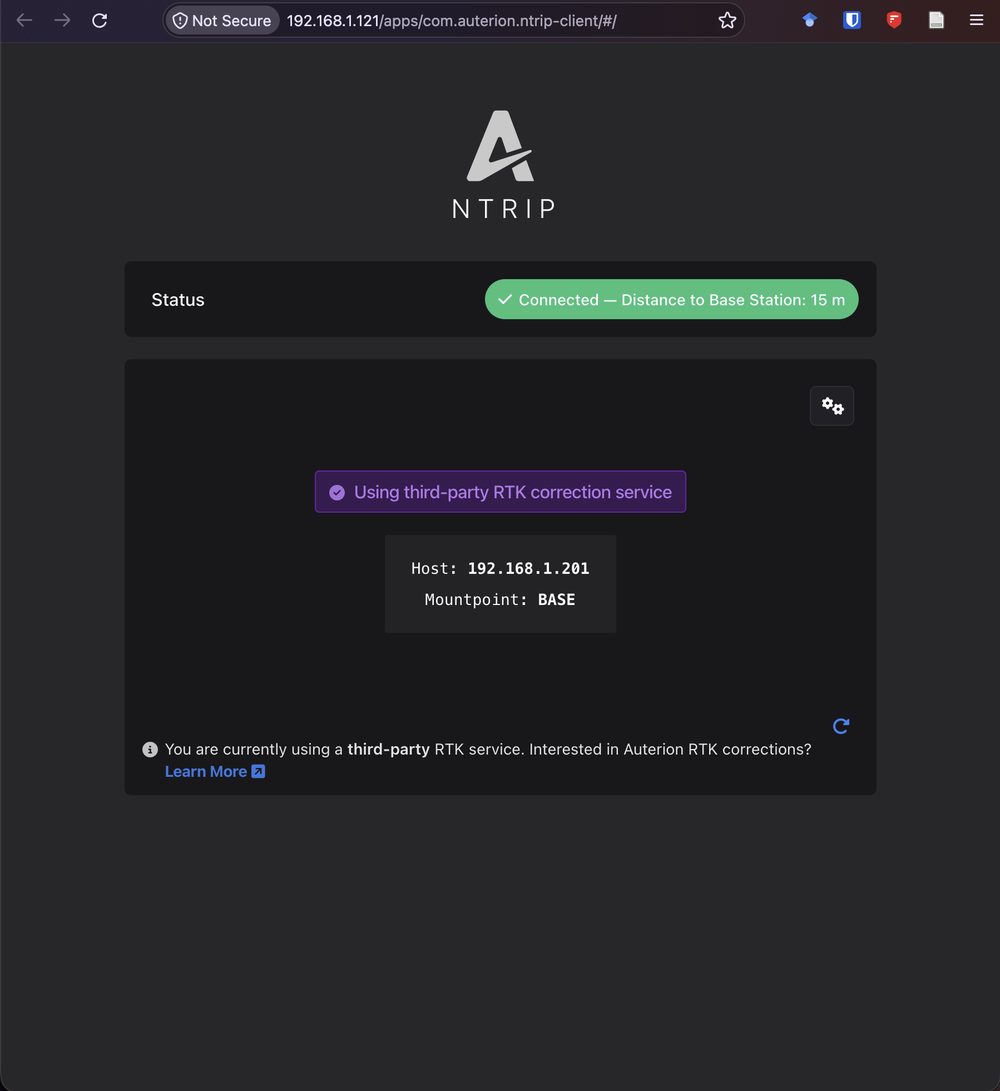
When it works, the app's status page says it is connected, with the distance to the base station, and that it is using a third-party RTK correction service.